

 Loading...
play UNO online for free. Get ready for a fun card game where your goal is simple: be the first to use all your cards. Match the color or number on the top card, and enjoy quick rounds that feel exciting from the very first move.
UNO Online is easy to learn, even if you’re playing for the first time. You’ll see cool action cards like Skip, Reverse, and +2 that can change the game in a second. When you can’t play, you draw a card and try again.
You can play UNO Online on PC, tablet, or phone with no downloads. Invite friends, play with others online, and practice your best moves. Don’t forget to hit “UNO” when you have one card left!
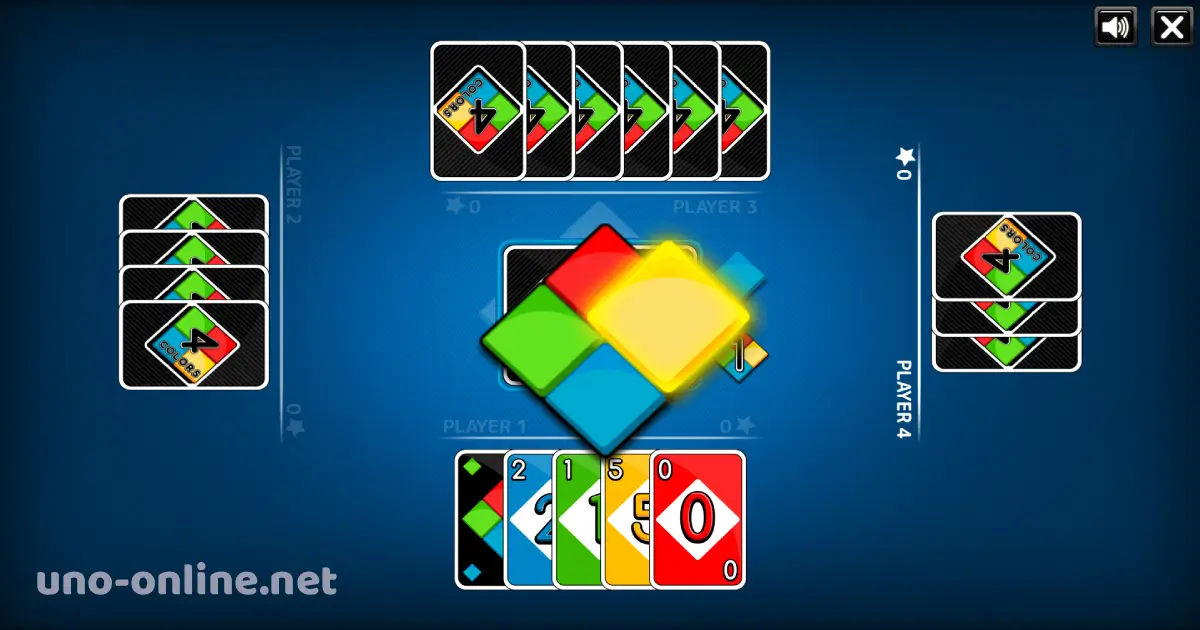
What is UNO Online?
UNO Online is the digital version of the classic UNO card game you can play on a computer or phone. The idea is easy: match the color or the number on the top card, and try to be the first player to get rid of all your cards.
The original UNO card game was created in 1971 by Merle Robbins. Today, the UNO brand is owned and published by Mattel (since 1992). In online versions, the rules stay very close to the real card game, but everything happens on the screen.
During the game, special cards can change the round fast, like Skip, Reverse, and +2. You can also use Wild cards to choose a new color. And when you have one card left, you must hit UNO so you don’t get a penalty!
UNO Online Gameplay
In UNO Online, the game moves in turns, and each player tries to empty their hand before everyone else. A card can be played only if it matches the top card by color or by number. If a player cannot match, they must take a new card, and the round keeps going until someone finds a good match.
Special action cards make the gameplay exciting because they can change what happens next. Some cards can skip a player’s turn, reverse the direction of the game, or force the next player to draw extra cards. Wild cards are even more powerful because they let the current player choose the color that must be played next, which can help them escape a tough situation.
The most important moment is the endgame. When a player gets close to having just one card left, everyone pays more attention because one smart card can finish the round. If a player forgets to call “UNO” when they reach one card, they can get a penalty, which gives others a chance to catch up.
Platform
UNO Online is a browser game, so you can play it right away without downloading anything. It works on most modern web browsers, including Google Chrome, Microsoft Edge, Mozilla Firefox, Safari, and Opera. As long as your device can open a web page, you can enjoy the game on a PC, tablet, or phone.
How to Play UNO Online?
In UNO Online, your mission is to be the first player to get rid of all your cards. Each round starts with one card placed in the middle, and every player receives a hand of cards. Players take turns, one after another, trying to play a card that fits.
On your turn, you can play a card if it matches the top card by color or by number. If you have no matching card, you must draw a new card. If the new card can be played, you may use it right away; if not, your turn ends and the next player continues.
Action cards make the game more exciting. Some cards can skip a player’s turn, change the direction of the game, or make the next player draw extra cards. Wild cards let you choose the next color, which is very helpful when you want to keep the game in your favor.
When you have only one card left, you must call “UNO”. If you forget and someone notices, you may get a penalty by drawing extra cards. The first player who plays their last card wins the round.
Controls
On PC, click the cards to play. On mobile, tap the cards.
UNO Online Rules
Goal of the Game
The goal in UNO Online is simple: be the first player to get rid of all the cards in your hand. If you play your last card first, you win the round.
Matching Cards (Color, Number, Symbol)
On your turn, you can play one card if it matches the top card in the middle. A match can be the same color, the same number, or the same symbol. For example, if the top card is a red 7, you can play any red card, any 7, or a red action card.
What Happens If You Can’t Play
If you don’t have a card that matches, you must draw a card. If the new card matches the top card, you may play it. If it still doesn’t match, your turn ends and the next player continues.
Action Cards Rules
Skip
The Skip card makes the next player lose their turn. That means they don’t get to play a card, and the game moves to the next person.
Reverse
The Reverse card changes the direction of the game. If the game was going one way, it starts going the other way. In many versions with only two players, Reverse works like a Skip.
Draw Two (+2)
The Draw Two (+2) card makes the next player draw two cards. In many UNO Online versions, that player also loses their turn right after drawing.
Wild Cards Rules
Wild (Choose a Color)
The Wild card lets you choose the next color to play. This is very helpful when you don’t have many cards of the current color.
Wild Draw Four (+4)
The Wild Draw Four (+4) card is very powerful. You choose the next color, and the next player must draw four cards. In some versions, you should only use a +4 when you don’t have a card that matches the current color.
Saying “UNO” and the Penalty
When you have only one card left, you must call “UNO”. If you forget and another player notices before your next turn, you may get a penalty by drawing extra cards. This rule keeps the game fair and fun.
How a Round Ends (Winning)
The round ends when one player plays their last card. That player wins the round, and a new round can start with fresh cards.
Optional Rules (May Vary by Version)
Some UNO Online games have extra rules that can be different from site to site. For example, some versions allow stacking draw cards, while others do not. The penalty for forgetting “UNO” can also change. If you see special rules in your game room, follow those rules for that match.
Tips and Tricks for UNO Online
- Keep a Wild card for the end. Saving a Wild (or +4) can help you change the color when you really need it.
- Change the color to your strongest color. When you play a Wild, pick the color you have the most of in your hand
- Use +2 and +4 at the right time. Play them when an opponent is close to winning to slow them down.
- Watch players with 1–2 cards. If someone is almost out, try to make the game harder for them with action cards.
- Don’t waste action cards too early. Skip and Reverse are more useful when the round is tight and every turn matters
- Get rid of high-risk colors. If you have only one card of a color, try to play it soon so you don’t get stuck later
- Count what you see. If you notice many cards of one color were played, that color might be harder to use soon.
- Try to keep different colors. A hand with more colors gives you more chances to match the top card.
- Play Reverse smartly. Changing direction can stop a strong player from getting an easy turn.
- Always remember to say “UNO”. If you forget, you may draw extra cards and lose your lead.
Features of UNO Online
- Play instantly in your browser: Start a match right away with no downloads.
- Classic UNO rules: Match colors and numbers, and use Skip, Reverse, +2, Wild, and +4 cards.
- Fast and fun rounds: Games are quick, so you can play one round or many rounds.
- Action cards that change everything: One special card can flip the round and surprise everyone.
- Wild cards to choose the color: Pick the best color for your hand and stay in control.
- UNO call with a penalty: You must call “UNO” at one card, or you may draw extra cards.
- Play solo or with others: Many versions let you play against bots or real players online.
- Works on PC and mobile: Enjoy the same game on computer, tablet, or phone.
- Easy to learn for kids: Simple matching rules and clear cards make it beginner-friendly.
- Smooth gameplay: The game is designed to run smoothly on modern browsers.
Play UNO Online
You can play UNO Online directly in your web browser, so you don’t need to download or install anything. Just open the game page and start playing in seconds, whether you are on a computer, tablet, or phone.
UNO Online Free
UNO Online is free to play on our website. You can enjoy the game online without paying any money. You do not need a subscription, and you do not need to buy anything to start playing.
You can play full matches and use all the classic UNO cards. Everything you need to have fun is available for free.
UNO Online Multiplayer
On our website, UNO Online is played against the computer. This means you are not playing with real players online. The game uses smart computer opponents, so you can enjoy UNO anytime, even when your friends are not available.
UNO Online With Friends
If you want true multiplayer matches with friends, you can try the official UNO game on mobile. The official version lets you play online with other people through the Android and iOS stores.
- For Android devices, download it from the Google Play Store.
- For Apple devices, get it from the App Store.
UNO Online Unblocked
Many players look for “UNO Online Unblocked” because they want a quick game they can open in a browser. On our website, you can play UNO Online anytime without installing anything, so it is easy to start a match during your free time.
If your school or workplace allows gaming sites, you can enjoy the full game on breaks, at lunch, or at home. If the website is blocked on a certain network, it means that network has its own rules, so it is best to play when it is allowed.
Game Details
- Last Update : 11 August 2021
- Developer : CodeThisLab
- Technology : HTML5
Similar Games to UNO Online
If you’re a fan of Card Games, you’ll definitely enjoy these too:
- Crazy 8’s
- Switch
- Rummy
- Gin Rummy
UNO Online FAQ
Is UNO Online Free?
Yes. On our website, UNO Online is free to play, and you can start a game anytime without paying.
Do I Need to Download Anything?
No. You play directly in your web browser, so there is nothing to download or install.
How Many Players Can Join?
In our version, you play against the computer. A round usually has up to 4 players total, including you and computer opponents.
Can I Play UNO Online With Friends?
On our website, you play vs the computer only. If you want real online matches with friends, you can use the official UNO mobile game on Android and iOS.
What Happens If I Forget to Press UNO?
If you forget to call “UNO” when you have one card left and someone catches it in time, you get a penalty and draw extra cards. In many official rule sheets, the penalty is drawing two cards.
Can I Win With an Action Card?
Yes. In the official rules, you can finish the round with an action card.
Can You Stack +2 and +4 Cards?
It depends on the version. In the official rules, stacking +2 or +4 is not allowed, but some websites use house rules that change this.
Is This the Official UNO Game?
No. Our browser game is an UNO-style card game for fun. The official UNO game is the UNO mobile app made for Android and iOS.
Conclusion
UNO Online is a fun and easy card game that you can enjoy anytime in your browser. Match colors and numbers, use special cards to surprise your opponents, and remember to call UNO when you have one card left. If you want a quick game that feels exciting every round, play UNO Online for free on our website and have fun.